The simplest way to run commercials in OBS.
Map your Google Drive, connect OBS, and run commercial breaks from a dock inside OBS or from any browser. CommercialCue picks the ads, switches the scenes and logs every play.
Works with OBS Studio 28 and newer. Sign in with Google.
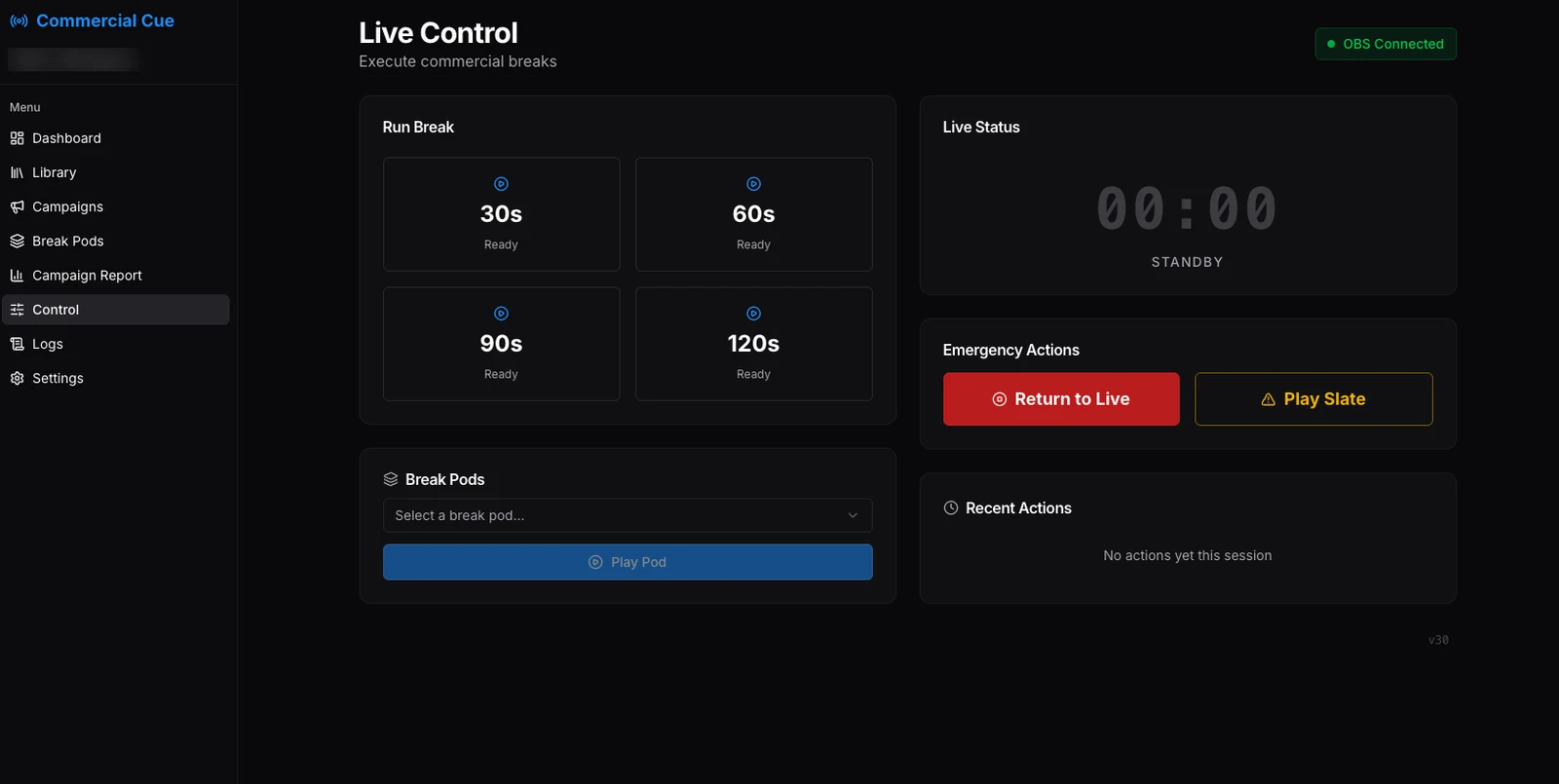
Three connections, then press play.
Set up once. On show day your operator only needs the break buttons.
Connect Google Drive
Sign in with Google and give read-only access to Drive. Map one folder to each break length.
Connect OBS
One click creates the LIVE and AD_PLAYBACK scenes and the media source in OBS. Add the CommercialCue dock under Custom Browser Docks.
Run the break
Tap a length. CommercialCue switches to the ad scene, plays the spots in order and returns to live on its own.
A break, start to finish.
Live Control in the browser, OBS with the CommercialCue dock beside it, mid-break.
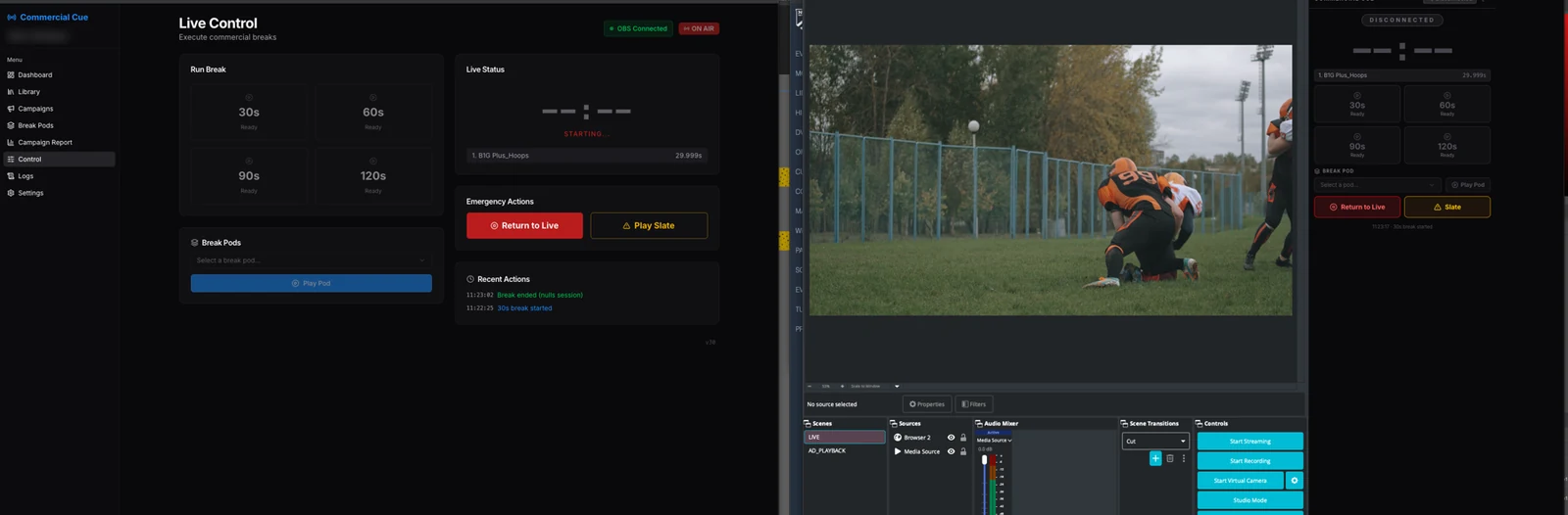
- TA countdown you can read across the roomA large timer counts down the break and turns red with 10 seconds to go.
- EEmergency buttonsReturn to Live and Play Slate are always one tap away if something goes wrong.
- SSafe by defaultAd audio stays muted until playback is confirmed, and a safety timer brings you back to live if a break stalls.
- DRun it from the dock or a browserStart a break from the dock inside OBS, from Live Control, or from another tab. The page connected to OBS runs it.
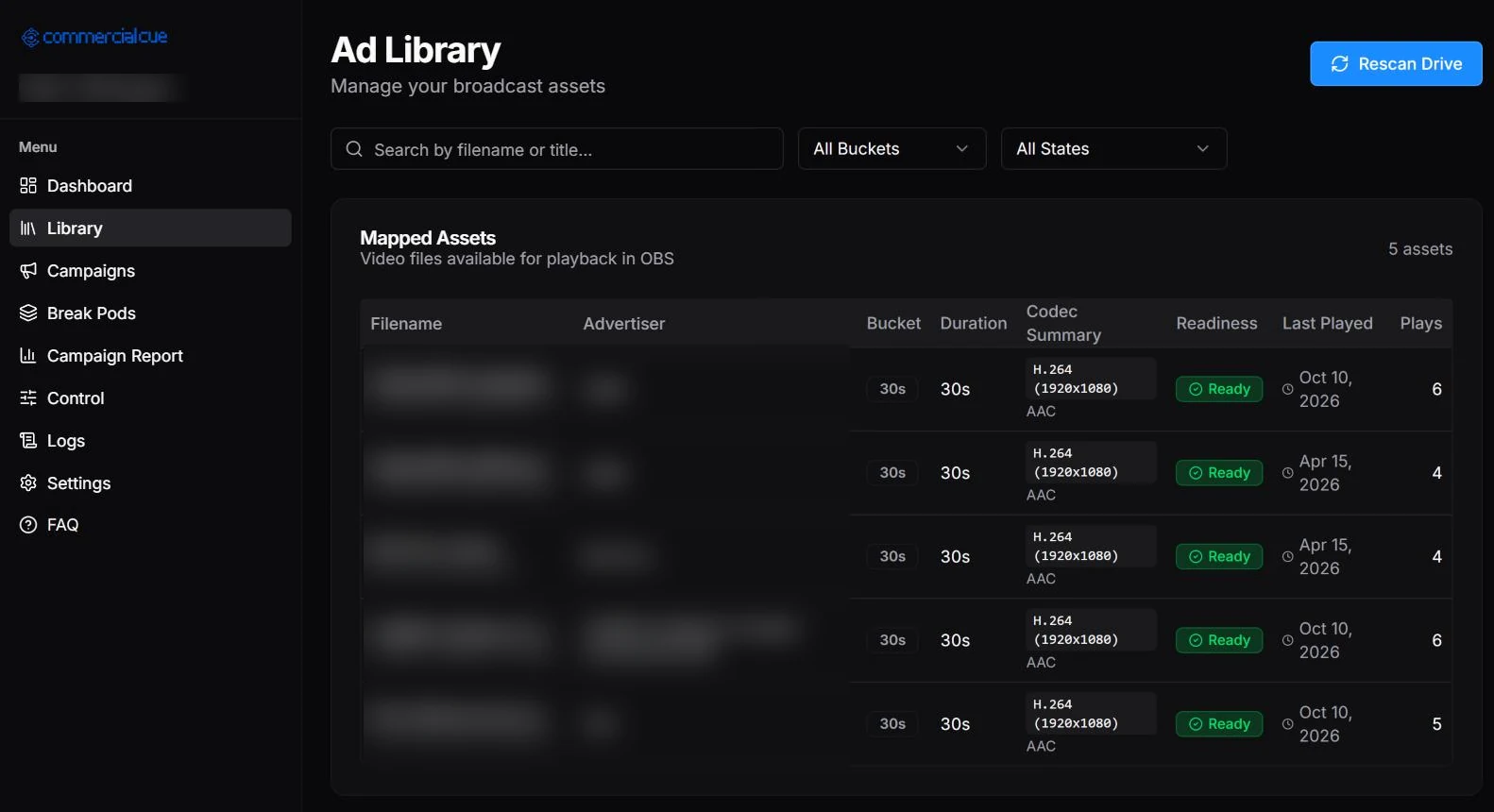
Your ads stay in your Drive.
- RRead-only accessCommercialCue streams spots straight from Google Drive with read-only access. Your files are never copied or stored.
- ✓Readiness checkEvery file is marked Ready, Warning, Not Recommended or Unplayable based on its type and Drive metadata. MP4 is ready to go.
- #Play history at a glanceSee each spot's bucket, length, last played date and play count, and rescan Drive when you add new ones.
Real screenshot. Ad and advertiser names are blurred.
It picks the right spots for you.
Tap a break length and CommercialCue builds the break using a few simple rules.
Exact fit first
A spot that matches the break length is used first.
Or build a pod
Otherwise it combines up to 4 shorter spots to fill the time.
Fair rotation
The least recently played spots go first.
No repeats
The same spot never plays twice in one break, and two spots from one advertiser stay apart.
Slate for the gap
Leftover time can be filled with your fallback slate.
Plan the lineup, or let it run.
Campaigns
Group spots for a sponsor or season with flight dates, and weight how often each one plays.
- Start and end dates, shown as Active, Scheduled or Expired
- A weight for each spot in the campaign
- Falls back to the full library if a campaign can't fill a break
Break pods
Build a fixed, ordered break ahead of time and play it on demand from Live Control or the dock.
Example pod. Each pod has a target length of 30, 60, 90 or 120 seconds.
Show sponsors exactly what ran.
Every break is logged with what was asked for and what actually played.
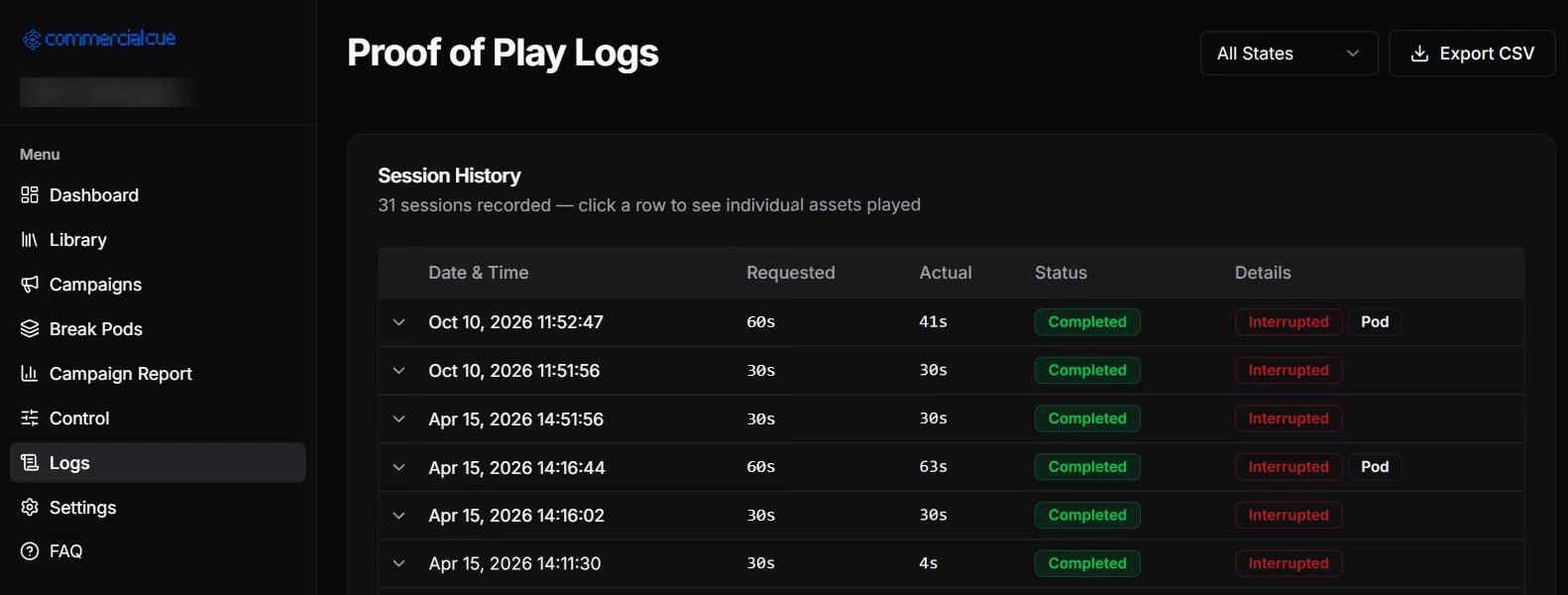
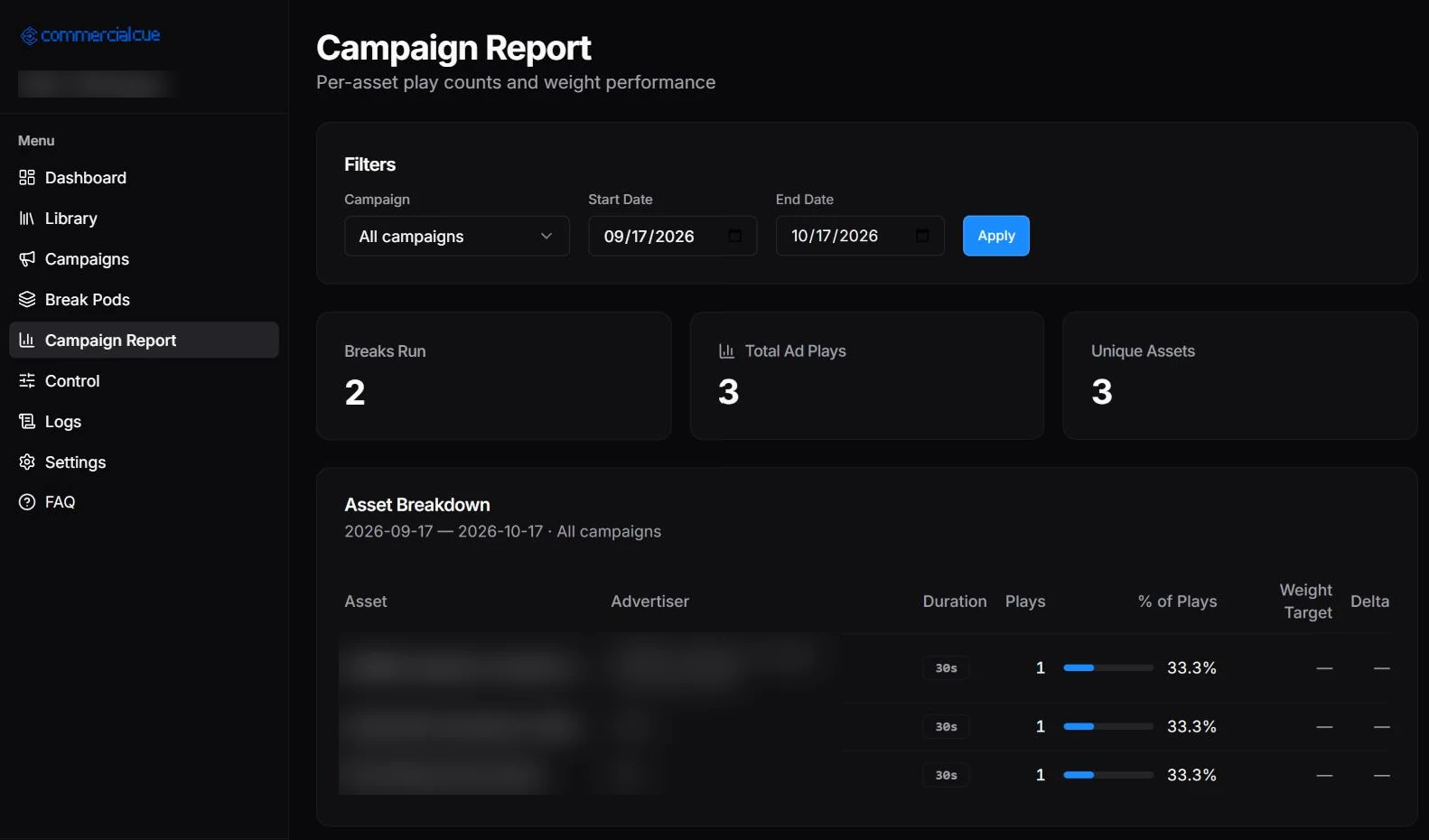
Real screenshots from a test workspace. Ad and advertiser names are blurred.
Built for a crew, not a single laptop.
Admins and operators
Admins manage the library, campaigns and settings. Operators get Live Control and the dock.
Invite by link
Invite teammates with a link that expires after 7 days, and revoke access any time.
Separate workspaces
Each workspace's library, campaigns and logs are kept apart.
Protected connections
Saved OBS passwords are encrypted, and media links are signed and expire.
Get your workspace set up
Sign in at commercialcue.com with Google to create a workspace. Have questions about plans for your team? Get in touch with the Eighty Five Studios team.
Good to know.
What do I need to use it?
OBS Studio 28 or newer (it includes obs-websocket 5), a Google account, and your commercials in Google Drive.
Do my video files leave Google Drive?
No. CommercialCue uses read-only access and streams spots from Drive when they play. Files are never copied or stored.
Which file types work best?
MP4 is marked Ready. MOV, AVI and WebM get a warning, and MKV isn't recommended.
What break lengths can I run?
30, 60, 90 and 120 second breaks. If there's no single spot that fits, CommercialCue builds a pod of up to 4 shorter spots.
Can someone run breaks without admin access?
Yes. Give them the operator role and they get Live Control and the OBS dock, and nothing else.
Can I prove to a sponsor that their spot ran?
Yes. Every break and every spot is logged with requested and actual length, and you can export the logs to CSV or run a campaign report.
Run your next break on cue.
Connect Drive, connect OBS and run your first break today.