The complete crew management platform for live production.
From first assignment to final confirmation, CrewdUp makes the hard parts of broadcast scheduling simple, so you can produce more with less stress.
Free plan forever. Paid plans include a 31-day free trial, no credit card required.
From zero to fully staffed in three steps.
CrewdUp replaces the spreadsheets, group texts and manual emails your team is drowning in right now.
Every production detail, in one place
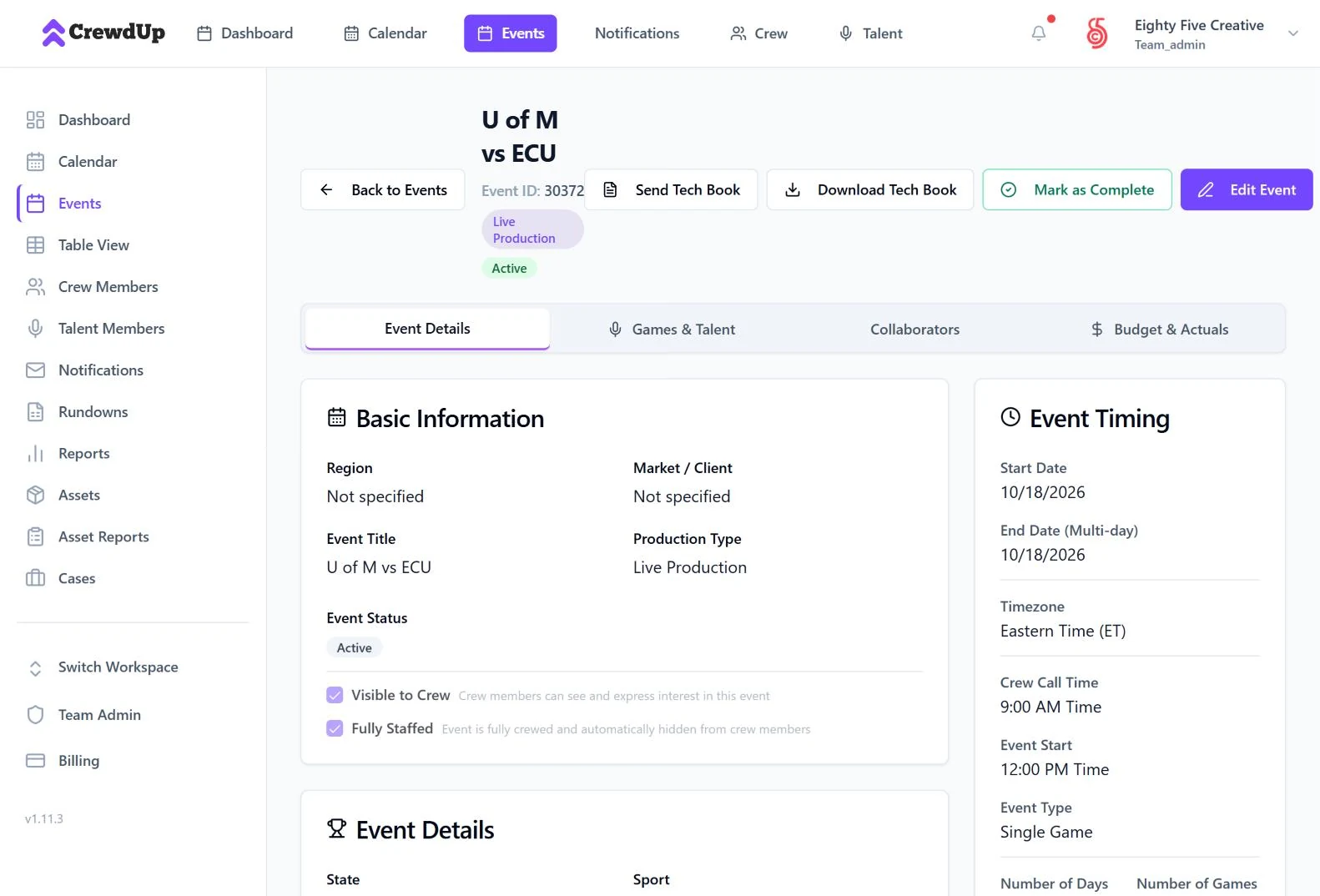
Create the event with venue, call times, timezone, contacts, stream details and notes. Or bulk upload a whole season from CSV.
Assign positions, send invites automatically
Pick crew for each position and CrewdUp emails the invite. Crew confirm or decline in one click, with no account needed.
Confirmations, gear and reports, nothing slips
Watch confirmations come in, send reminders, pack the gear and send the tech book. Then report on the whole season.
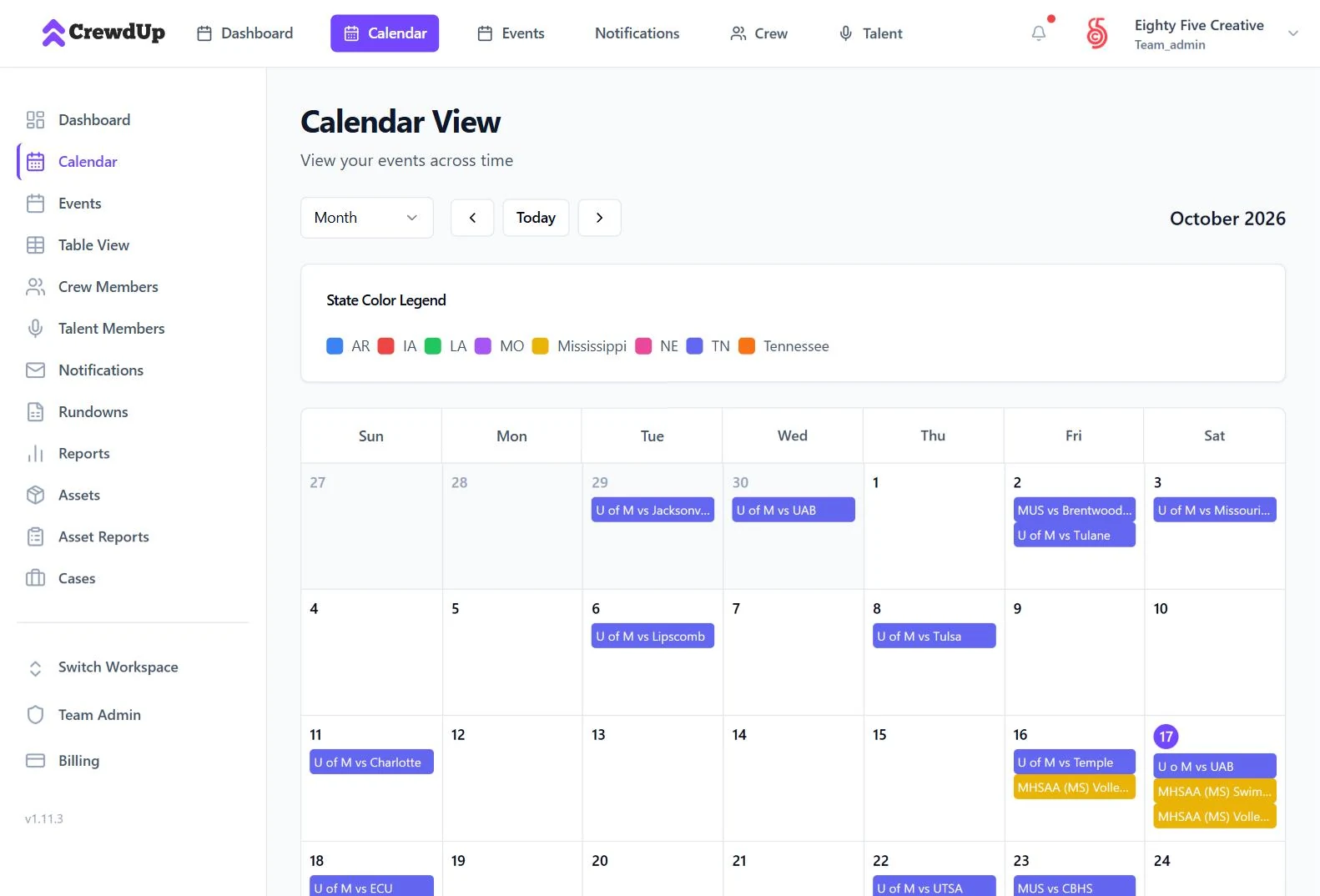
See every production your way.
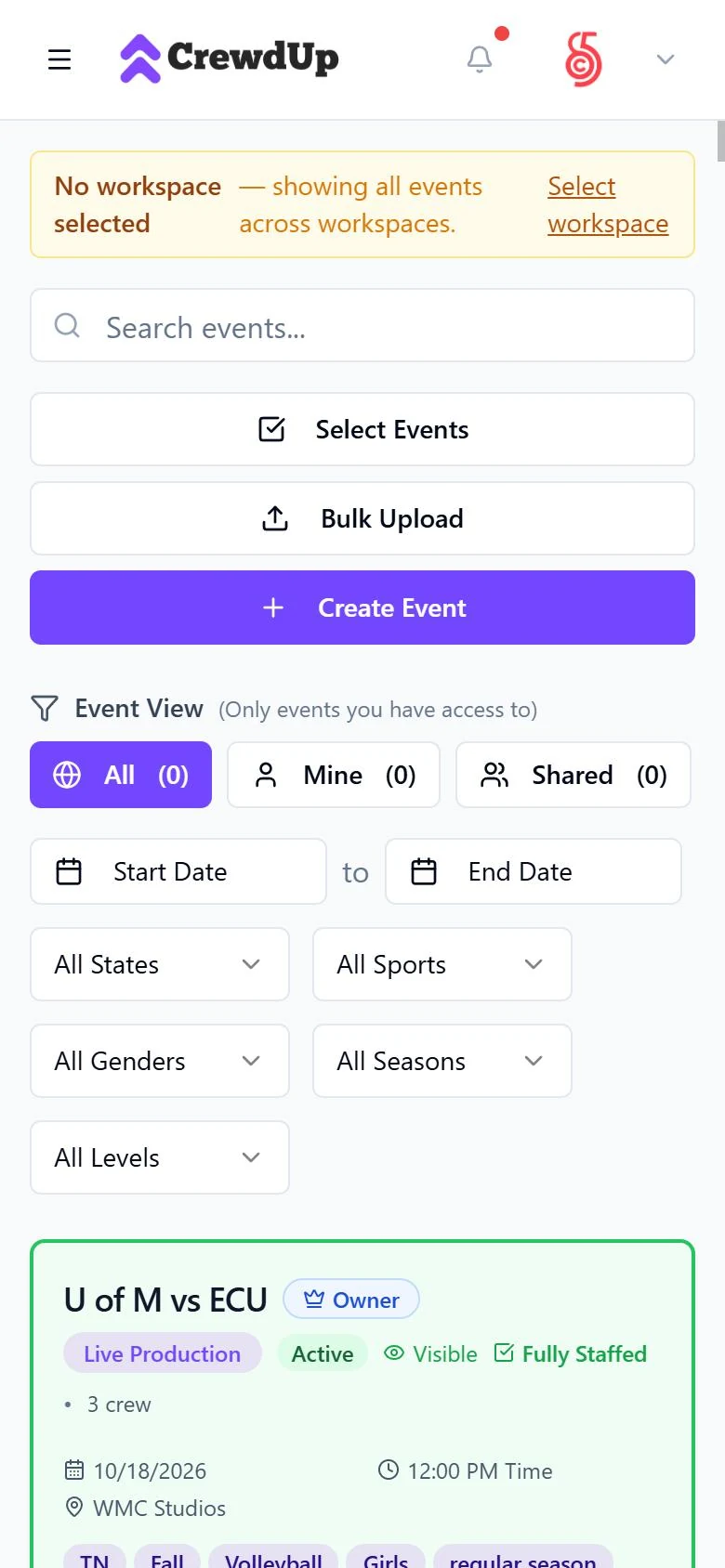
Calendar, list and spreadsheet views of the same events. Filter by state, sport, season, gender and level.
- TTimezone-aware call timesCrew call, event start and end times in the venue's timezone, with multi-day events and games inside them.
- CContacts on every eventVenue, association, producer and coordinating producer, right where the crew needs them.
- PProduction details built inInternet source, production software, RTMP server and stream key, schedule and stream links, sponsor notes.
- BBulk uploadImport events, games and crew from CSV instead of typing a season in by hand.
- EEdit like a spreadsheetTable view lets you edit events inline in a grid and export to CSV.
- CCollaborators and attachmentsShare an event with other managers at view, edit or full access, and attach files.
Book the crew without the group text.
Assign people to positions and let CrewdUp handle the invites, confirmations and calendar holds.
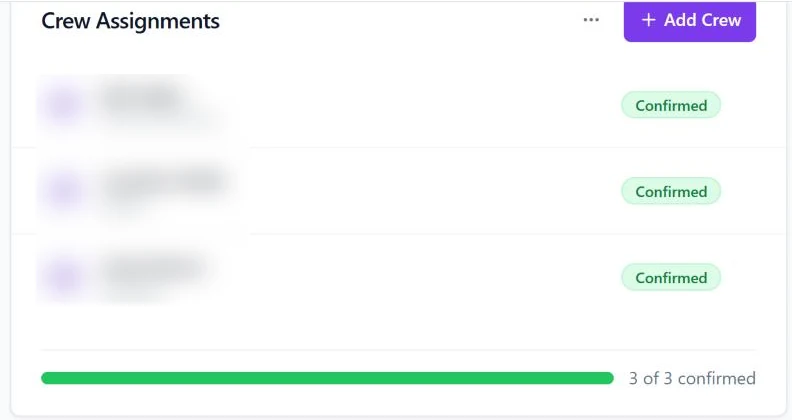
- OOne-click invitesCrew get an email invite and confirm or decline in one click. No crew account required.
- CCalendar invites sent automaticallyWhen crew confirm, they get a calendar file that works with Google, Apple and Outlook calendars.
- KKnow who's confirmedAssigned, confirmed and declined at a glance, with a fully staffed flag and open positions to fill.
- CCrew can raise their handCrew and talent can express interest in open events and positions. You approve or decline.
- TTemplates and skill tagsSave a crew position template and apply it to any event. Tag crew by skill and region to find the right people fast.
- OOffline confirmations, loggedIf someone confirms by text or phone, mark it so the record stays complete.
Real screenshots from crewdup.com. Crew names are blurred.
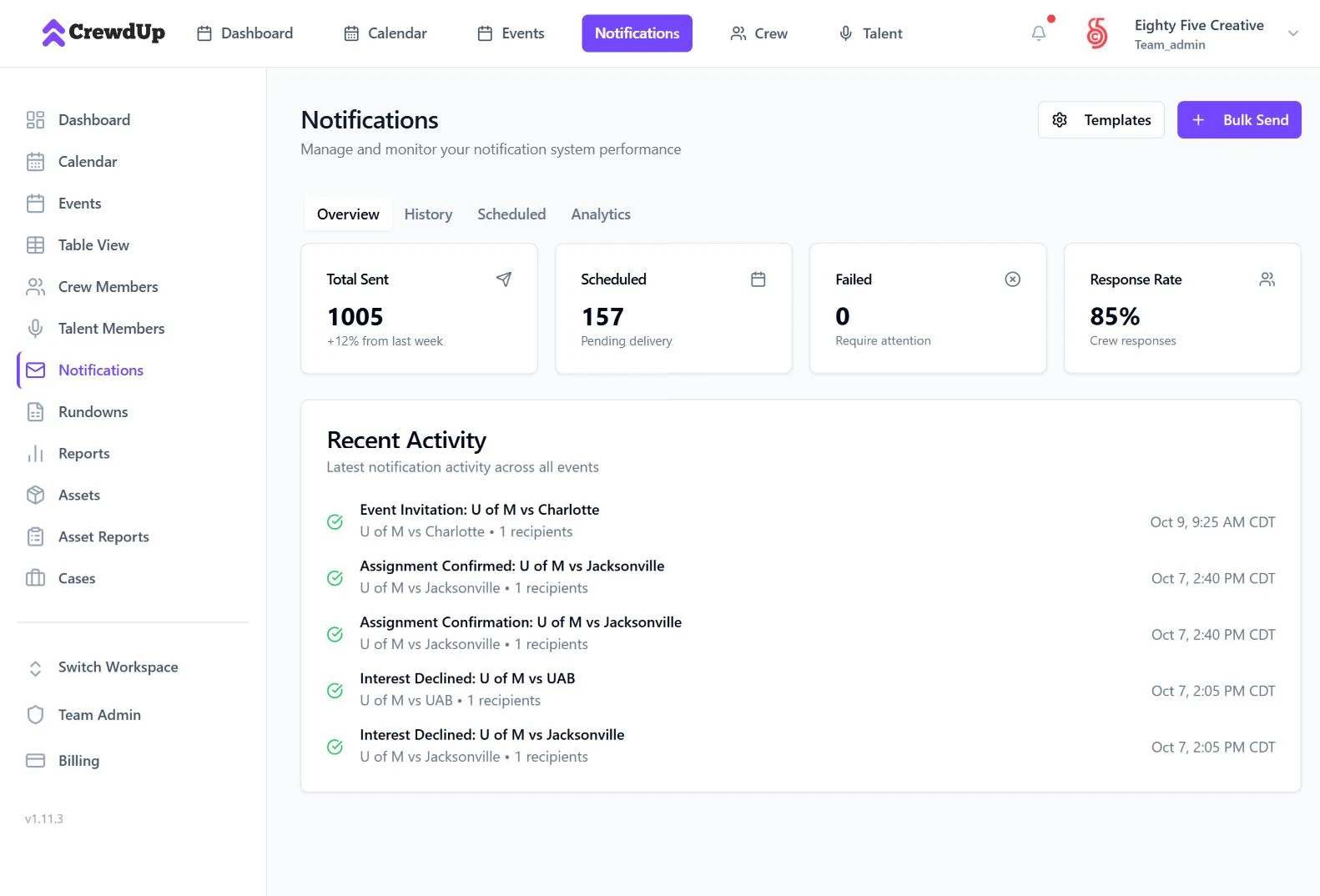
Reminders go out on their own.
- SScheduled remindersSet reminders ahead of the event and CrewdUp sends them on time, every time.
- TTemplates and bulk sendWrite a message once, preview it, and send it to the whole crew.
- HHistory and response ratesSee what was sent, what was scheduled and how crew responded.
- IIn-app feed and preferencesManagers see confirmations and declines as they happen, and everyone controls what they receive.
The show plan lives with the event.
Build the rundown together, then send the crew a tech book with everything they need for the day.
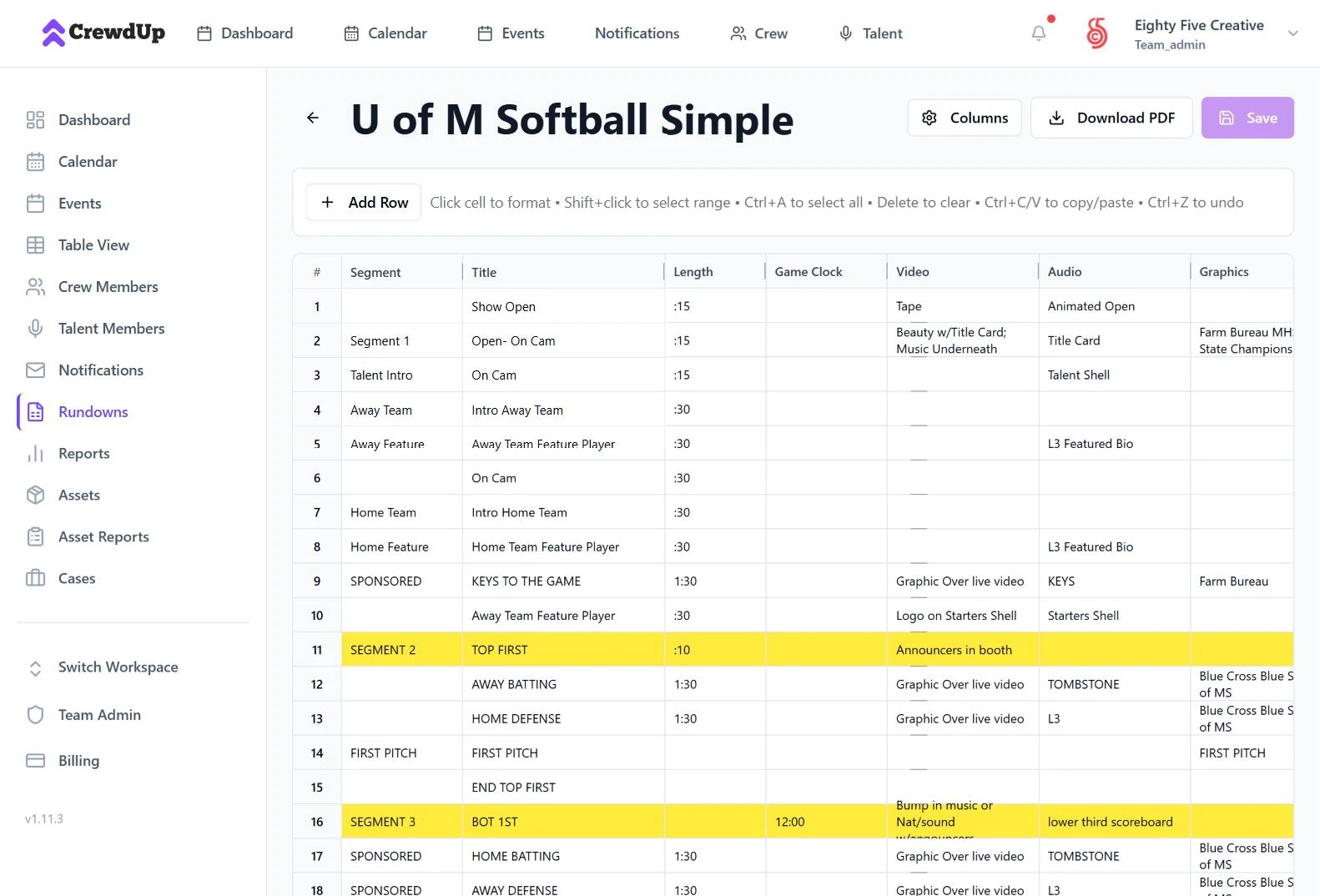
- CCollaborative rundownsSegment, title, length, game clock, video, audio, graphics and notes, with row colors and formatting.
- RReuse and reorderDuplicate a rundown for the next game and drag rows into place.
- PPDF in one clickDownload any rundown as a PDF for the truck or the booth.
- TTech booksGenerate an event tech book as a PDF and email it to the crew from the event page.
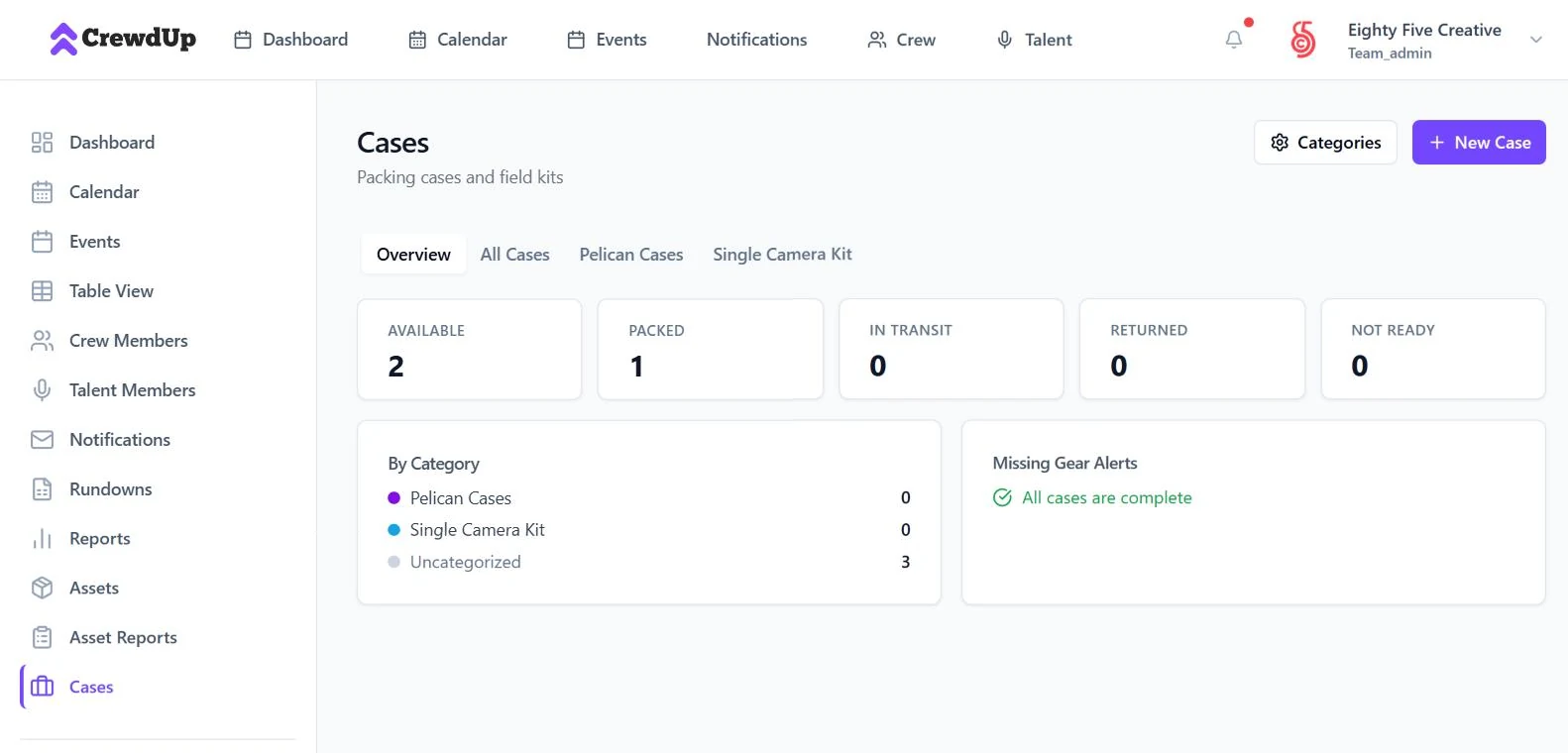
Track gear from warehouse to venue and back.
- AAssetsEvery camera, laptop and kit with custom fields, status, check-out history and attachments.
- PPacking casesCase manifests and checklists, assigned to events, with missing-gear alerts.
- SShipments with live trackingAdd a FedEx, UPS, USPS or DHL tracking number and follow the shipment from inside CrewdUp.
Assets, cases and shipments are on the Pro plan.
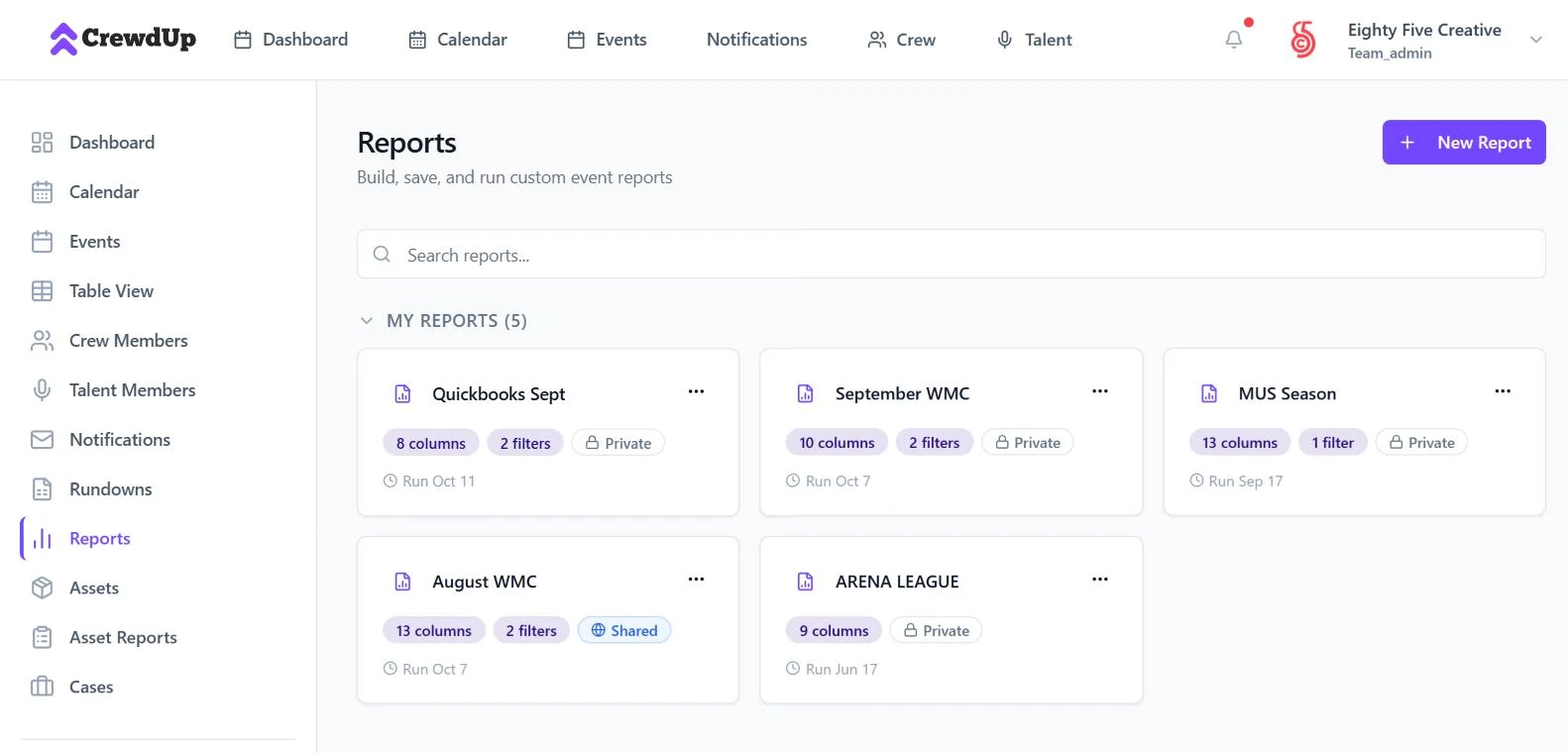
Know what every show cost.
- CCustom report builderFilters, grouping with subtotals, pivot tables, charts and formula columns. Save reports and export to CSV or PDF.
- BBudget and actualsPlan positions and expenses for each event, track budgeted against actual, and mark crew paid in bulk.
- PProduction historyEvery event, crew assignment and confirmation stays searchable season after season.
Organize seasons, clients and projects.
Keep each client or season in its own workspace, and give everyone the access that fits their job.
Runs the account
Manages billing, workspaces, invite codes and the team.
Runs the shows
Creates events, books crew, sends notifications and builds reports.
Works the shows
Sees assignments and expresses interest. Pay rates and HR notes stay hidden.
On the call
A separate roster for announcers and on-air talent, assigned by game.
Simple pricing for every team size.
One flat price per team. Crew and talent members are always free.
Free
For trying CrewdUp on your next few events.
- Events, calendar and list views
- Crew invites and confirmations
Starter
For small production teams managing a single sport or client.
- Notifications and reminders
- Tech books and calendar invites
- Table view and rundowns
- Bulk CSV and invite codes
- Basic reports
Pro
For larger production companies managing multiple sports, clients or seasons.
- Everything in Starter
- Custom reports with pivots and formulas
- Assets, cases and shipments
- Asset reports
- Workspace duplication
Enterprise
For networks, large agencies and multi-property organizations.
- Everything in Pro
- Priority support and SLA
- Dedicated onboarding
- Custom contract
Answers before you commit.
Is pricing per user or per team?
Per team. Each plan is one flat monthly price that includes a set number of manager seats. Crew and talent members are always free.
Do crew members need to create an account?
No. Crew get a one-click invite link by email and can confirm or decline without signing up.
Can I try it before I pay?
Yes. The Free plan is free forever, and Starter and Pro include a 31-day free trial with no credit card required.
What kinds of productions does it work for?
CrewdUp is sport- and event-agnostic: football, basketball, baseball, soccer, tennis, esports, live concerts, conferences, news productions and corporate events.
Does it work on my phone?
Yes. CrewdUp runs in any modern browser, on a laptop, tablet or phone.
Can I import my existing crew and events?
Yes, on Starter and up. Upload crew and events from CSV.
Ready to run a tighter operation?
Start free, add your first event and send your first crew invite today.
Questions? info@crewdup.com